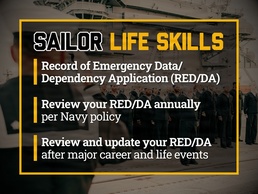
MILLINGTON, Tennessee – By mastering basic personnel and pay life skills, Sailors play a key role staying battle-ready and mission-focused. One of these is ensuring your dependents’ information and emergency contact data is current and accurate, so your family is taken care of in case of emergency.
Review Your RED/DA Annually
Your Record of Emergency Data (RED) helps ensure emergency contact notifications reach the right people, and your Dependency Application (DA) helps ensure you and your family receive the right benefits. You must verify RED/DA annually and can access them through the Navy Standard Integrated Personnel System (NSIPS) or MyNavy Portal.
“Navy policy requires you to review your RED/DA each year, but you should review and update it more often,” said Rear Adm. Kertreck V. Brooks, Commander, MyNavy Career Center. “Career and life events can affect your entitlements. Accurate and timely RED/DA review and updates ensure you receive exactly what you’re entitled.”
In addition to the annual requirement, you must review or update RED/DA:
Brooks added this helps prevent underpayment causing financial hardship, or overpayment resulting in a government-related debt.
How to Review and Update RED/DA
Updating RED/DA is a self-service process within NSIPS, which you can access with your common access card or CAC-free username and password.
Here’s how:
Avoid Common Mistakes
“As you review your RED/DA, make sure you avoid some common errors,” said Brooks. “Even something simple could affect your pay and entitlements if it’s not updated accurately.”
Common RED/DA errors include:
“As always, if you have questions, you can call MNCC’s team of customer service representatives anytime,” said Brooks. “You can also reach out to see if your RED/DA update has taken effect yet.” MNCC’s mission is to deliver modern hire-to-retire HR services through 24/7 customer service to Sailors, veterans, and their families. Through Sailor feedback, MNCC strives to provide more resources and accurate resolutions. Contact MNCC at (833) 330-MNCC (6622) or AskMNCC@us.navy.mil. Find online self-service options on MyNavy Portal at my.navy.mil.